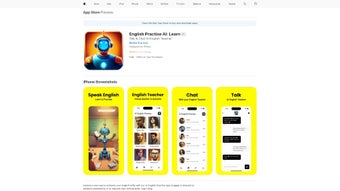

Download AI English Practise – Free AI‑Powered English Learning App for iOS
AI English Practise is a modern, AI‑driven language‑learning application built exclusively for iPhone and iPad. Designed for anyone who wants to improve English—whether you are a beginner looking for basic vocabulary, an intermediate speaker aiming to polish grammar, or an advanced learner preparing for academic exams—the app offers a fully personalized curriculum that evolves with each interaction. The moment you launch the app, a short placement quiz evaluates your current level, after which the built‑in artificial intelligence creates a daily lesson plan that targets your weak spots while reinforcing strengths.
Real‑time voice recognition provides instant pronunciation feedback, and an engaging gamified system rewards consistency with badges, streaks, and points. Because all progress is stored securely in iCloud, you can switch seamlessly between an iPhone and an iPad without losing any data. Regular content updates introduce fresh topics, seasonal vocabularies, and new interactive exercises, ensuring that the learning experience stays relevant and challenging.
While the core experience is free, a premium subscription unlocks the complete lesson library, advanced analytics, and an ad‑free environment. Overall, AI English Practise combines cutting‑edge AI technology with a friendly, intuitive interface to make English practice both effective and enjoyable on iOS devices.
Key Features and What Sets AI English Practise Apart
- AI‑Driven Adaptive Learning: Lessons automatically adjust based on your performance, focusing on the skills that need the most improvement.
- Interactive Voice Recognition: Speak directly into the app and receive instant, phonetic feedback powered by Apple’s Neural Engine.
- Gamified Progress System: Earn badges, maintain streaks, and collect points that keep motivation high.
- Extensive Exercise Library: Includes grammar drills, vocabulary flashcards, reading passages, and writing prompts.
- Detailed Performance Analytics: Visual charts show progress over days, weeks, and months, highlighting trends.
- Offline Mode: Download lessons for practice without an internet connection, with automatic sync when you’re back online.
- Secure iCloud Sync: Your data is encrypted in transit and at rest, ensuring privacy across devices.
- Monthly Content Updates: New lessons, seasonal vocabularies, and AI model improvements keep the app fresh.
Pros
- Highly personalized curriculum that adapts in real time.
- Accurate voice‑recognition offers authentic speaking practice.
- Gamified elements make daily study feel rewarding.
- Offline capability lets users learn anywhere.
- Secure iCloud backup prevents data loss.
- Frequent updates introduce new content and improve AI accuracy.
Cons
- Available only on iOS/iPadOS; no native Android or Windows version.
- Older iPhone models may experience slower AI processing.
- Free tier includes occasional prompts to upgrade to premium.
- Learners preferring a static textbook format might miss linear progression.
Installation, First‑Time Use, and Device Compatibility
Step‑by‑Step Installation
Open the App Store on your iPhone or iPad, search for “AI English Practise,” and tap the Get button. The app is free to download; you may need to authenticate with Face ID, Touch ID, or your Apple ID password. Once installed, tap the app icon to launch. The onboarding wizard will ask you to select your current proficiency level, set learning goals (e.g., conversational fluency, academic writing), and choose a preferred daily study duration. This information fuels the AI engine, which immediately creates a customized lesson path.
Getting the Most Out of Your First Sessions
After onboarding, the dashboard presents the day’s lesson. Begin with the warm‑up exercise—a short listening or pronunciation task that activates the voice‑recognition module. Follow the spoken prompts; the app highlights errors, suggests corrections, and provides concise explanations.
Each lesson ends with a quick quiz; the AI uses your results to recalibrate the difficulty of the next session. For optimal retention, aim for 10‑15 minutes of focused practice daily. Use the “Review” tab to revisit challenging lessons and the “Read” section for short articles with built‑in vocabulary pop‑ups.
Enable iCloud sync via Settings → Your Account → iCloud → AI English Practise to ensure progress is backed up across devices.
Device Compatibility and System Requirements
AI English Practise requires iOS 14.0 or later on iPhone (iPhone 7 and newer) and iPadOS 14.0+ on iPad. The app leverages Apple’s Neural Engine for on‑device AI, delivering low‑latency voice analysis. For the best experience, use a device with at least 2 GB RAM and a stable internet connection for initial downloads and cloud sync. While the core functions run on older hardware, devices such as iPhone SE (1st gen) or iPad Air 2 may experience slightly longer processing times during speech analysis. The app is not currently available for macOS, Android, or Windows, though a web‑based companion is planned for future releases.
All data transmission is encrypted with TLS 1.3, and the app complies with GDPR and Apple’s privacy standards, guaranteeing that personal information remains confidential.
Frequently Asked Questions
Is AI English Practise completely free?
The core app is free and provides daily lessons, voice‑recognition practice, and basic progress tracking. A premium subscription unlocks the full lesson library, advanced analytics, and an ad‑free experience.
Can I study offline?
Yes. After downloading lessons while connected to the internet, you can continue practicing offline. All progress syncs automatically to iCloud once you reconnect.
How does the AI evaluate my skill level?
During onboarding you complete a short placement test. The AI then monitors your answers, error patterns, and response times, continuously refining its assessment and adapting lesson difficulty.
Is my personal data secure?
All user data is encrypted both in transit and at rest. Progress is stored in iCloud, and the app adheres to Apple’s strict privacy guidelines. No personal information is sold to third parties.
Which devices are supported?
AI English Practise runs on iPhone (iOS 14 or newer) and iPad (iPadOS 14 or newer). It requires at least 2 GB of RAM for optimal performance. A macOS version is planned for a future release.
Conclusion – Should You Download AI English Practise?
AI English Practise delivers a compelling blend of AI personalization, authentic speaking practice, and gamified motivation that makes daily English study both effective and enjoyable on iOS devices. Its offline capability, secure iCloud backup, and regular content updates address many of the common pain points found in competing language apps. While the lack of Android or Windows support limits its audience, the focused optimization for Apple hardware results in smooth performance and low‑latency voice analysis on supported devices. The free tier offers ample value for casual learners, and the premium subscription provides a reasonable upgrade path for those seeking deeper content and advanced analytics. If you own an iPhone or iPad and are looking for a modern, secure, and AI‑driven tool to boost your English proficiency, this app is a strong candidate.
Ready to start your personalized English journey? Download AI English Practise now and begin with a free daily lesson. Remember to enable iCloud sync for seamless progress across devices, and consider the premium plan if you want unrestricted access to the full lesson library and ad‑free learning.
Rating: 4.5/5
AI English Practise stands out thanks to its genuine AI personalization, accurate voice‑recognition, and clear progress dashboards. The free version is generous, but power users will benefit from the premium subscription that unlocks the complete lesson catalog. Overall, it offers a modern, secure, and engaging way to practice English on iOS devices.



.png)



